We have deployed a new version of the vpsAdmin web interface, improving disk partition management.
The newly deployed version of vpsAdmin brings:
- settings for mount behavior when a remote server is unavailable
(such as nasbox.prg), - display of the current mount state (mounted/unmounted),
- the option to enable or disable a mount permanently,
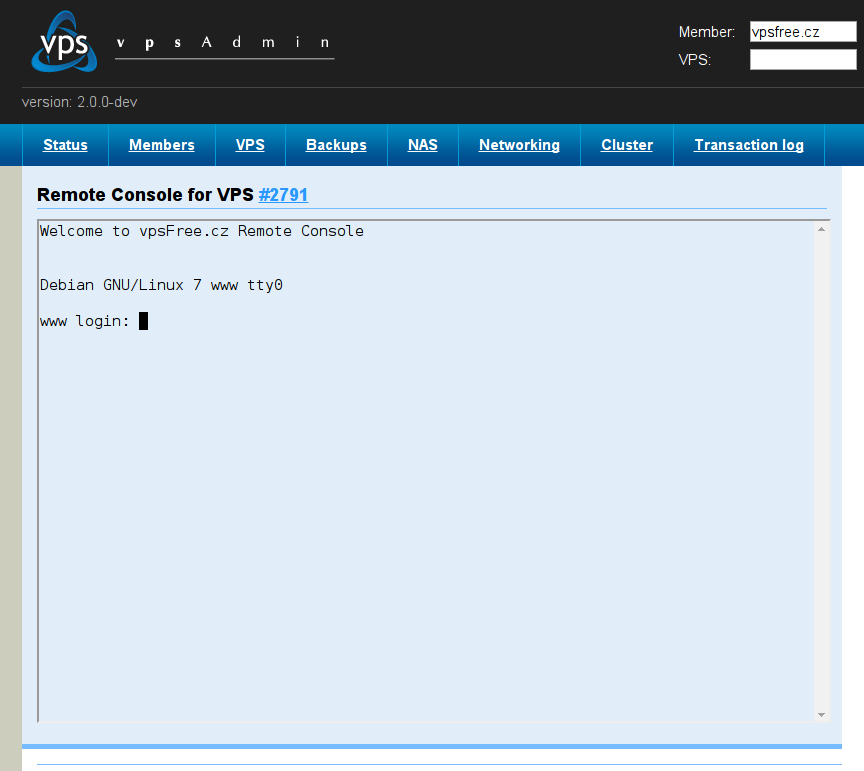
- an updated remote console,
- and bug fixes, of course.
The list of known bugs is in Redmine. The changes are described in more detail below.
Mount failure when starting a VPS
vpsAdmin lets you define what happens to each mount if it cannot
be mounted when the VPS starts. You can choose from four behaviors:
- Skip the mount. It will not be mounted in the VPS, and the member is responsible for trying to mount it later if needed.
- Continue starting the VPS; vpsAdmin will regularly try to mount it.
- Abort VPS startup. The VPS stays off, and the member is responsible for trying to start it again.
- Wait until the mount succeeds. VPS startup will take as long as it takes for the remote server to become available again.
Choose options one or two if the mount is not essential to starting the VPS and
its absence only limits some functionality. For example, an application using
the mounted data might not work, while others will. You are responsible for
checking whether the mount is present and acting accordingly.
Options three and four are for mounts without which there is no point starting the VPS,
since it would not work. Part of the system might be missing, or the VPS might work solely
with data from that mount, for example.
All existing mounts have been set to behavior 2), meaning
delayed mounting if the server is unavailable. If you prefer something else,
you can change the setting.
This setting has no effect if the remote server goes down after the VPS
has started. Defining the behavior in that situation will come in a later version
of vpsAdmin.
Current mount state
vpsAdmin stores the last known mount state and displays it in
the mount list in the VPS details.
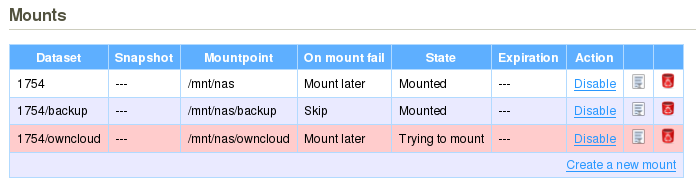
A mount can be in one of five states:
- newly created, mounting
- mounted
- unmounted
- skipped
- deferred, will be mounted later
- waiting to mount
If you manually unmount it from inside the VPS rather than through vpsAdmin,
the displayed mount state will not match reality.
Disabling a mount
Disable: the mount is unmounted and will not be mounted after a VPS restart
Enable: the mount is mounted and will be mounted after a restart
This makes it easy to unmount or mount it when there is a problem.
Remote console
The console's web interface uses ShellInABox, which has been inactive for three years
and contains bugs. I deployed fixes from an unofficial fork,
then some of my own. Now you can type (hopefully) all characters, the
on-screen keyboard works, text can be pasted from the clipboard and
you can switch color schemes.