We've prepared a new secure way to log in to vpsAdmin. You can now use passkeys.
As a second factor, vpsAdmin accepts a passkey from either a hardware token (YubiKey, GoTrust IdemKey and similar) or a software keychain (KeePassXC, KeePassium, iCloud Keychain, Google Password Manager, Microsoft Windows Hello, 1Password and others).
You can combine passkeys with TOTP and configure several authentication devices; any one of them is enough to log in. vpsAdmin profile settings now include an option to enable or disable two-factor authentication:
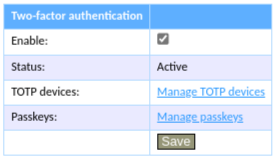
Two-factor authentication is only active if at least one TOTP device or passkey exists. First add all the passkeys you want to use, then enable two-factor authentication in your profile.
TOTP, by contrast, enables two-factor authentication automatically, because unlike a passkey, its numeric code can be copied from another device.