We have improved the vpsAdmin control panel. It now lets you put SSH keys directly into a newly created VPS.
vpsAdmin version 2.6.0 lets members save public keys and then upload them to a VPS (/root/.ssh/authorized_keys). Add keys through the web interface: Edit profile → Public keys → Add public key in the right-hand panel.
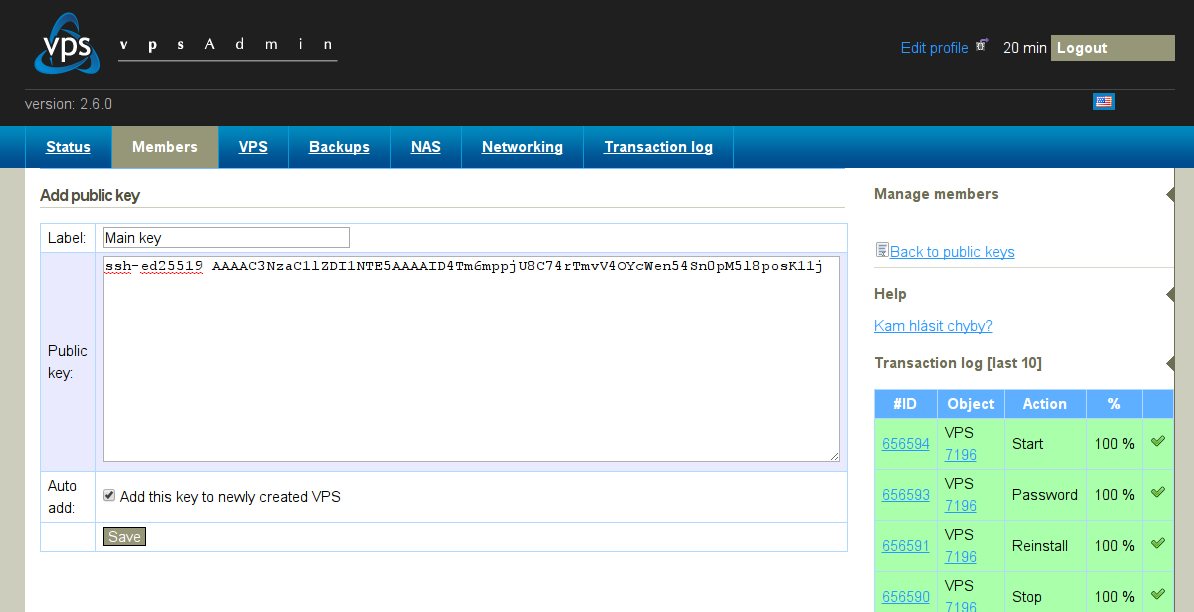
For each key, you can choose whether it should be uploaded automatically to new or reinstalled VPSes. Otherwise, keys can be uploaded at any time through the form in the VPS details, just below the password-setting form.
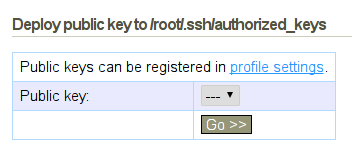
Be aware that all distribution templates still allow SSH login as root with a password, if one is set. Keys are not always available. To disable password authentication, set this line in /etc/ssh/sshd_config:
PasswordAuthentication no
vpsAdmin now uses HaveAPI's blocking actions wherever possible, so you can finally know exactly when operations have finished and when you can call further actions on objects without getting the error
"Resource is locked". As far as I know, that was the last major shortcoming of our API that could make it difficult to use.
If you use vpsfree-client or any other HaveAPI client, update it. The HaveAPI protocol version has changed. Everything will still work, but you may see warnings.