New members often ask us how to migrate from their old VPS provider.
New members quite often come to us from other VPS providers. Sometimes those services no longer meet their needs, or have become too expensive. The reasons vary widely, but they have one thing in common: they need to move their entire VPS to us.
The best situation is when the provider offers a way to download an image of the whole machine. Of course, you can also create one from a running system and copy it to your own disk. But what next?
Our knowledge base has an article on repairing a VPS, which explains that disks (ZFS datasets) can be mounted in different VPSes. The simplest approach is to start a temporary test VPS in playground and mount the production server's disk in it, with the production server switched off, of course. Then just unpack and copy the VPS contents onto the disk.
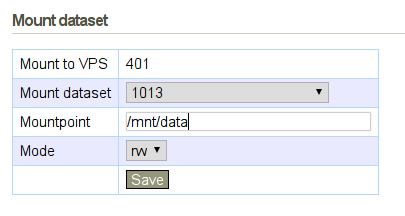
Next, check that the correct distribution version is set for the VPS in vpsAdmin. This affects network settings, the hostname and other system configuration. Then just start the production VPS, and it should come up. This works for all distributions that run under OpenVZ, which includes every distribution we support.
Half a year ago at OpenAlt, Petr Krčmář demonstrated installing a distribution from another virtual server (from minute 20):